

Locating Your Information
Your Exam Information Sources
1. ExamReporter
Go to ExamReporter for:
- Your own Exam ID. (You'll need for the Exam ID field in Exam4.)
- Course ID. (You'll need for the Course dropdown in Exam4.)
- Your Exam Start/End Time and Location (For your own reference)
2. Exam Schedule
Go to the Exam Schedule to find:
- Exam4 Mode (you'll need this for the Exam Mode in Exam4)
3. Your NYU Email Log-in
- Your NetID. (You'll need for the NetID field In Exam4.)
Where Your Info Goes in Exam4
Go to Exam4 to enter the information you now have.
- 1. On Screen 2> Exam ID; Course or Exam Title, you'll need:
- NetID (from your NYU email log-in)
- Exam ID (your personal Exam ID from ExamReporter)
- Course (course title from the Course Description in CMS)
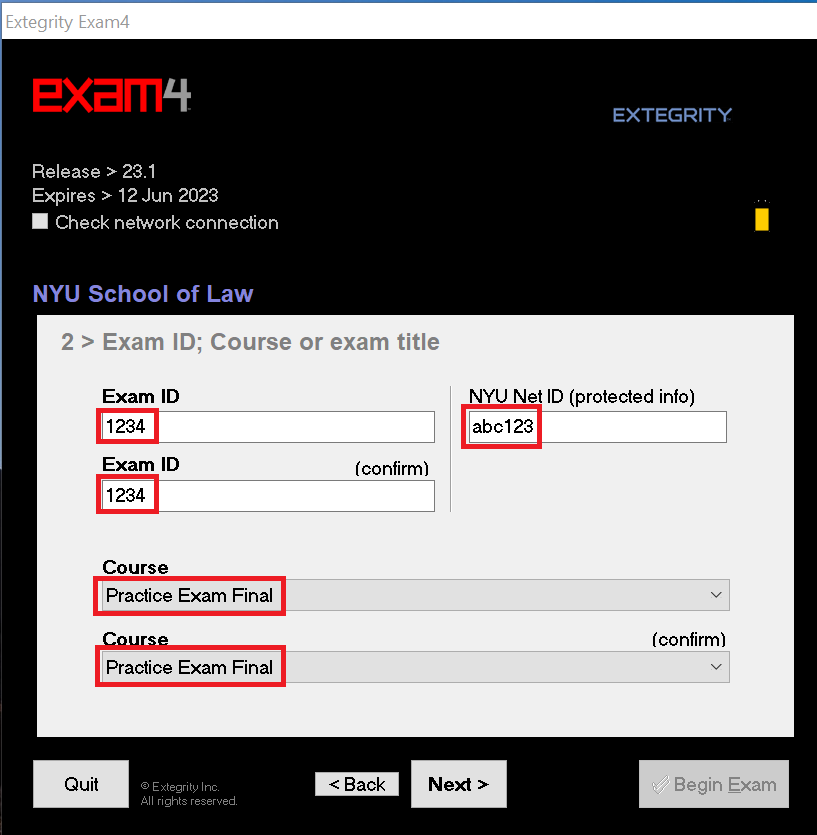
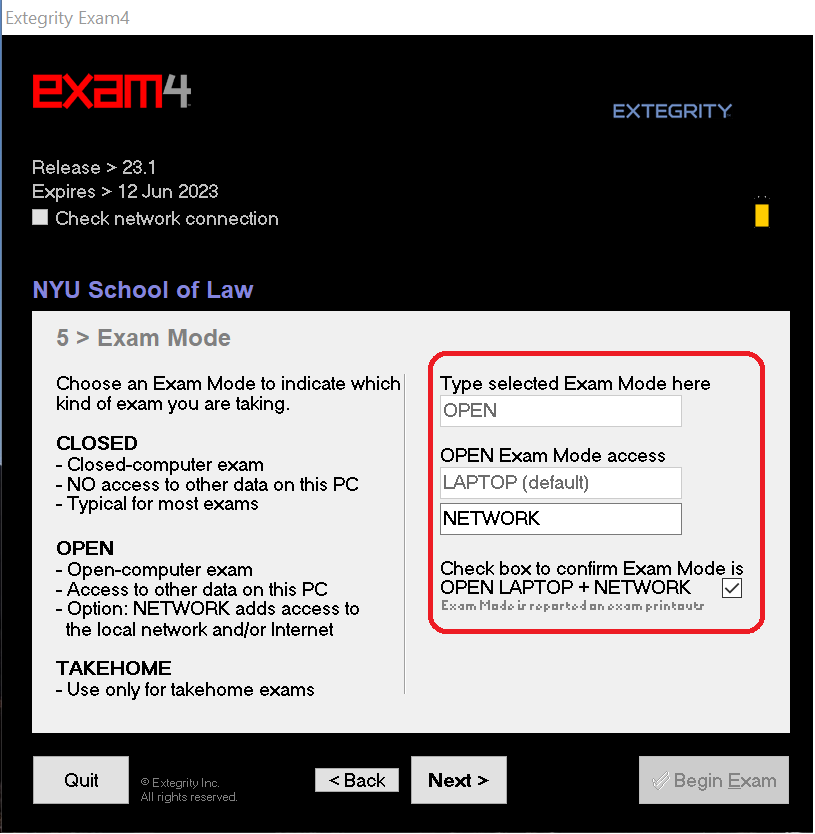
- 2. On Screen 5> Exam Mode, you'll need:
- Exam Mode (from the Course Description in CMS)
- 3. After starting an exam, if you're required to retrieve questions, they will be displayed under the Resources Tab of Exam Information.
The questions can be viewed side by side with your exam answers. if you're required to retrieve questions, you'll need:
The referenced media source is missing and needs to be re-embedded.